












How Many Watts Does a Laptop Use? Power Consumption Guide
Whether you work from home, travel with a laptop, or need backup power during an outage, knowing how much electricity a laptop uses can help you choose the right charger and estimate your energy needs. The answer to how many watts does a laptop use depends on the laptop’s hardware, workload, and power settings.
A lightweight laptop used for email and web browsing can consume much less power than a gaming laptop running a demanding application. The wattage printed on a laptop charger is also not the same as the computer’s actual power draw.

How Much Power Does a Laptop Typically Use?
Most laptops use about 5–50W during everyday use, while gaming and other demanding workloads can push power consumption well above 60W. The exact figure depends on the laptop’s hardware and what it is doing.
Laptop Power Consumption by Type and Task
For everyday laptops such as ultraportable and productivity models, typical power use is often relatively low. Web browsing, email, and document editing generally require less power than video editing, rendering, or gaming. High‑performance laptops with dedicated GPUs can draw substantially more power when the processor and graphics card are under load.
This is why how many watts does a laptop use does not have one universal answer. The same laptop can draw different amounts of power depending on the task.
| Laptop | Typical Workload | Peak / Burst |
|---|---|---|
| MacBook Air M2 | 8–10W | ≈20W |
| MacBook Pro 14 M3 Pro | 24–30W | ≈45W |
| Dell XPS 13 9310 | 32–40W | ≈48W |
| ThinkPad X1 Carbon Gen 11 | 40–45W | ≈66W |
| ASUS ROG Zephyrus G14 RTX 4070 | ≈75W | ≈161W |
These measurements show the large difference between efficient everyday laptops and high‑performance systems. They also clarify how many watts does a laptop draw in real use: actual power consumption can be far below the wattage printed on the charger and can rise significantly under heavy workloads.
For example, a laptop with a 65W charger does not necessarily use 65W continuously. The charger rating indicates how much power it can provide, while actual consumption changes with the computer’s workload.
What Affects a Laptop’s Power Consumption?
A laptop’s power use changes throughout the day because different components consume different amounts of energy depending on how the computer is being used.
CPU and GPU
The processor and graphics hardware have a major effect on power consumption. Efficient CPUs and integrated graphics are well suited to everyday tasks, while high‑performance processors and dedicated GPUs require more power when handling gaming, video editing, rendering, or other demanding workloads.
Display and Power Settings
Screen brightness, resolution, size, and refresh rate can all affect energy use. A bright, high‑refresh‑rate display generally requires more power than a lower‑brightness display running at a standard refresh rate.
Power modes also influence consumption. Battery Saver and Balanced modes can reduce unnecessary power use, while High Performance mode prioritizes performance when maximum processing power is needed.
Background Apps and External Devices
Browser tabs, cloud synchronization, software updates, and other background processes can continue using system resources. External monitors, webcams, USB drives, and other accessories add to the overall power demand.
For this reason, actual laptop consumption can change significantly during a work session. The wattage printed on the charger indicates its available power capacity, not the amount the laptop continuously consumes.
How Much Power Does a Laptop Use in 8 Hours?
To estimate how much energy a laptop uses over a workday, convert its average power draw from watts to watt‑hours. The formula is simple:
Power consumption (Wh) = Average watts (W) × Hours of use
For example, a laptop averaging 30W for eight hours would use:
30W × 8 hours = 240Wh
At 50W, the same eight‑hour workday would require 400Wh, while an 80W average would require 640Wh.
| Average Power | 8‑Hour Energy Use |
|---|---|
| 30W | 240Wh |
| 50W | 400Wh |
| 80W | 640Wh |
| 100W | 800Wh |
These figures represent energy consumption before accounting for losses from a charger, inverter, or other power equipment. Actual wall or power‑station consumption can therefore be somewhat higher.
How Much Does It Cost to Run a Laptop?
Electricity cost depends on the energy consumed and your local electricity rate:
Cost = Energy (kWh) × Electricity Rate
For example, if a laptop uses 400Wh, that equals 0.4kWh. At an electricity rate of $0.20 per kWh, eight hours of use would cost $0.08.
The calculation should use the laptop’s average power consumption, rather than its charger’s maximum wattage. A laptop with a 65W charger may use considerably less than 65W during light work, so using the charger’s rating for an eight‑hour cost estimate can overstate actual consumption.
Choosing a Portable Power Station for Laptop Use
For remote work, camping, or short power outages, a portable power station can keep laptop and essential electronics running away from a wall outlet. For this use, battery capacity and charging options are often more important than simply choosing the highest output rating.
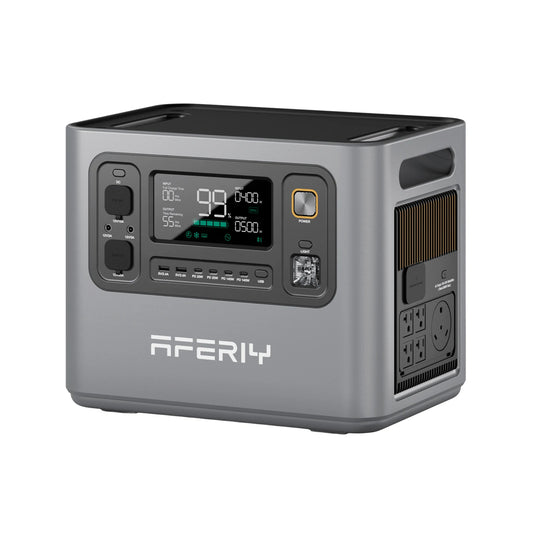
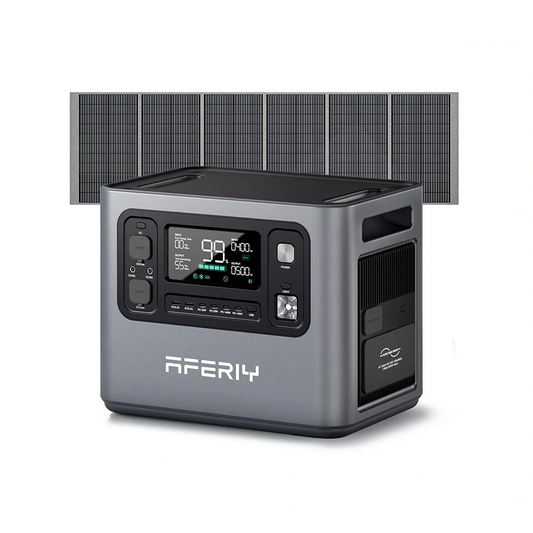
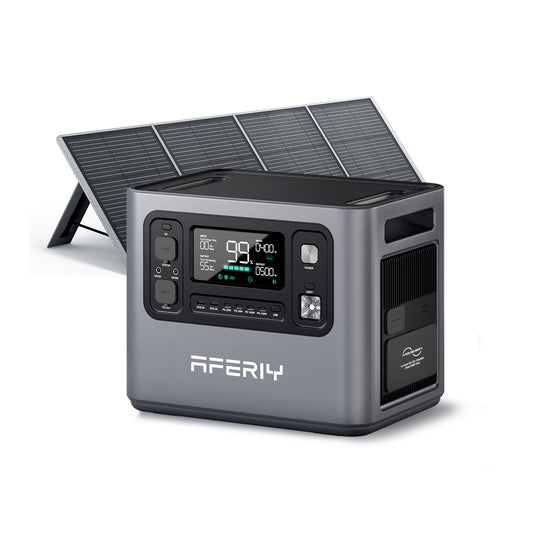
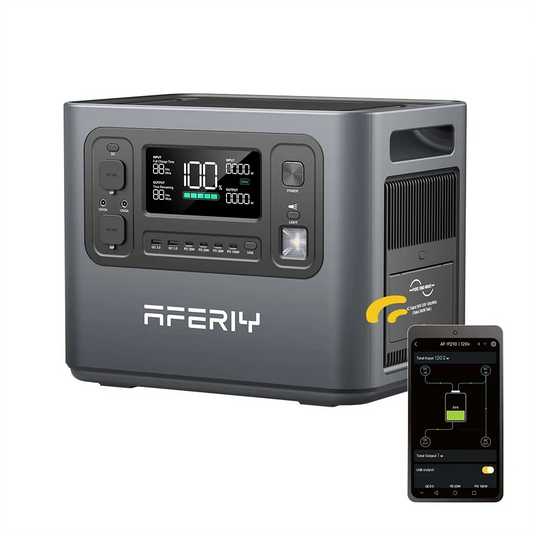
AFERIY P180 Pro Portable Power Station for Laptop‑Centered Use
The AFERIY P180 Pro Portable Power Station is the better fit when a laptop is the main device being powered. Its 1,024Wh battery, 1,800W AC output, and 140W USB‑C PD port provide enough flexibility for a laptop, phone, Wi‑Fi router, and other small electronics. The 140W USB‑C port is particularly useful for compatible laptops because it can provide direct USB‑C charging without requiring the laptop’s AC adapter.

For example, someone working from a campsite can use the AFERIY P180 Pro Portable Power Station as a central power source for a laptop and networking equipment while keeping the setup relatively portable. At 25.5 lb, it is also more manageable for mobile use than a larger home‑backup unit.
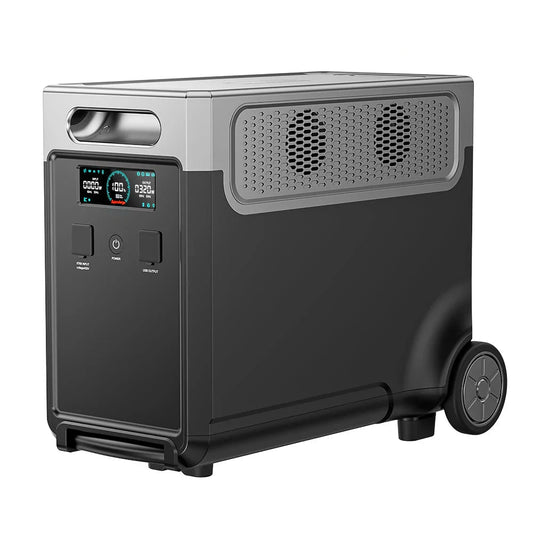
AFERIY P280 Portable Power Station for Larger Backup Setups
The AFERIY P280 Portable Power Station makes more sense when the laptop is only one part of a larger setup. Its 2,048Wh capacity and 2,800W output provide more energy and headroom for devices such as external monitor, router, lighting, and other essential electronics. It also has two 140W USB‑C PD ports, making it convenient when multiple USB‑C devices need power at the same time.

For longer outages or off‑grid work, the AFERIY P280 Portable Power Station can also accept up to 1,200W of solar input and expand its battery capacity to 10,240Wh. That makes the larger system more suitable when laptop backup is part of a broader home or off‑grid power plan rather than a standalone need.
For most laptop‑focused use, the AFERIY P180 Pro Portable Power Station is the more practical choice; the AFERIY P280 Portable Power Station becomes worthwhile when additional devices and longer backup times are part of the requirement.
FAQs
How many watts to charge a laptop?
The required charging wattage depends on the laptop. Many everyday laptops use chargers in the 30W–65W range, while higher‑performance models may require 100W or more. Always check the manufacturer’s recommended charger and USB‑C Power Delivery requirements for your specific model.
Does leaving a laptop plugged in use more electricity?
A laptop can continue using electricity while connected to an outlet, even after the battery is fully charged. Modern laptops generally manage charging automatically rather than continuously overcharging the battery. However, the computer still consumes electricity while it is operating.
Is 200W a lot of power for a laptop?
Yes. A sustained 200W draw is high for a laptop and is more typical of powerful gaming laptops or mobile workstations under demanding loads. Most everyday laptops operate well below this level.
Does a larger laptop screen use more power?
Generally, yes. Larger displays can require more energy, particularly when combined with high brightness, high resolution, or a high refresh rate. However, screen size alone does not determine total laptop power consumption because the processor, graphics hardware, and other components also matter.
Conclusion
A laptop’s power consumption depends on its hardware and workload, so there is no single wattage that applies to every computer. Everyday laptops generally require less power than gaming and high‑performance models, while activities such as gaming, rendering, and video editing can significantly increase demand.
For estimating energy use, focus on the laptop’s actual average power draw rather than the maximum wattage printed on its charger. If you need backup power for remote work or outages, battery capacity, output, charging options, and the other devices you plan to run are equally important.
For a laptop‑focused setup, the AFERIY Nomad1800 Pro (P180 Pro) Portable Power Station with Expandable Capacity 1800W 1024Wh is a practical balance of capacity and portability, while the AFERIY P280 Portable Power Station with Expandable Capacity 2800W 2048Wh is better suited to a larger multi‑device backup setup。
 Free shipping from US local warehouse